
Quick Answer: The best WiFi router for gaming low ping in 2026 is the ASUS RT-AX86U Pro Check price for most players because it balances gaming-focused QoS, strong wired ports, proven WiFi 6 performance, and a price that is usually easier to justify than flagship WiFi 7 routers. If you want a newer WiFi 7 gaming router without jumping to the most expensive flagship tier, check the ASUS TUF Gaming BE6500 Check price. If you want a powerful whole-home WiFi 7 router that still works well for gaming, the NETGEAR Nighthawk RS700S Check price is the cleaner high-end pick.
A router cannot magically lower the ping between your home and a distant game server. What it can do is reduce local lag: packet spikes from other devices, weak WiFi signal, overloaded upload bandwidth, and unstable routing between your PC or console and the modem.
For a full gaming setup, this guide fits naturally with our picks for the best gaming mouse for FPS competitive 2026, best budget gaming headset with good mic 2026, and best gaming desk with cable management 2026. A low-lag setup is not only the router; it is the whole chain from desk placement to cable routing.
Table of Contents
Why You Can Trust This Guide
We focused on routers that make sense for real gaming homes: wired console/PC support, QoS or gaming traffic features, strong 5 GHz or 6 GHz wireless, multi-gig options, app controls, and enough range for apartments or small houses. We used official product pages from ASUS and NETGEAR as the spec baseline, then weighed the tradeoffs for FPS gaming, streaming, family WiFi traffic, and daily work-from-home use. We did not assume that any router can beat your ISP latency or the distance to a game server.
What Actually Lowers Gaming Ping
Before buying a router, check the boring things first. A wired Ethernet connection is still the best answer for competitive play. If you must use WiFi, a good router helps most when your current network has crowded channels, weak signal, bufferbloat, or too many devices competing during uploads and downloads.
For esports and FPS games, prioritize:
- Stable wired Ethernet for your main PC or console
- QoS or game traffic prioritization
- Strong 5 GHz performance near the gaming room
- 6 GHz WiFi 6E/7 support if your gaming laptop or handheld supports it
- Enough CPU/memory to handle many devices
- Multi-gig WAN/LAN if your internet plan and modem support it
For daily office use, prioritize stability over raw speed. A router that keeps Zoom calls steady while someone else downloads a game is often more useful than the router with the biggest number on the box.
Best Overall: ASUS RT-AX86U Pro
Best Overall ASUS RT-AX86U Pro
Use-Case Evaluation: Best for gamers who want a stable wired PC or console setup, strong 5 GHz WiFi for nearby devices, and gaming controls without paying flagship WiFi 7 prices.
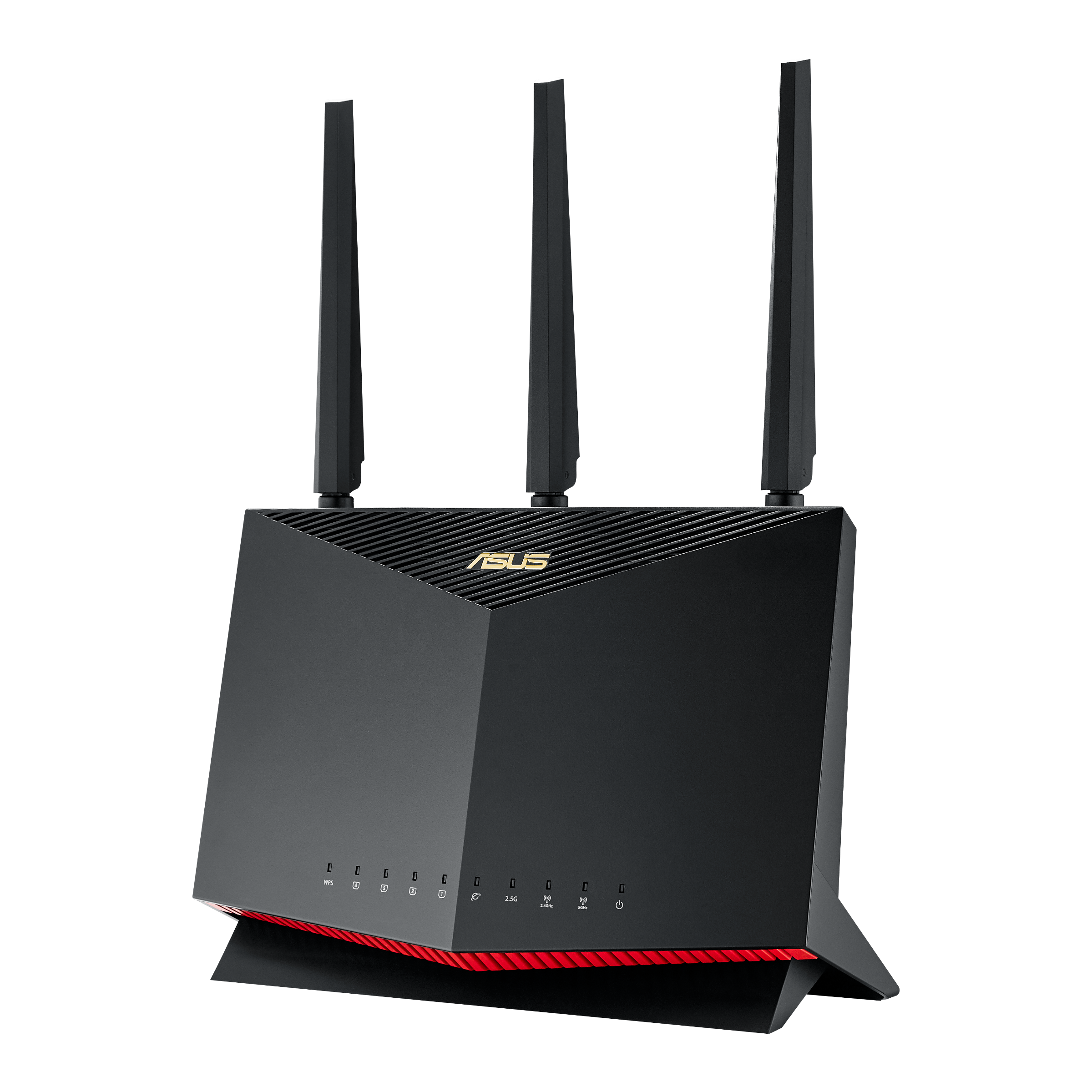
Image: manual
The ASUS RT-AX86U Pro is the safest recommendation for most gaming homes because it focuses on the parts that matter: reliable WiFi 6, gaming-oriented QoS, strong wired connectivity, and ASUS router software that gives advanced users more control than many simple mesh systems.
It makes the most sense if your gaming PC, Xbox, or PlayStation is close enough for Ethernet or strong 5 GHz WiFi. The router is also a practical fit for apartments, bedrooms, and home offices where you want one powerful router instead of a complicated mesh kit.
Drawbacks: this is not a WiFi 7 router, so it is not the future-proof pick for buyers who already own WiFi 7 laptops or have a multi-gig fiber plan. The interface also has more settings than casual users may want.
Who should skip this: skip it if you specifically want 6 GHz or WiFi 7, or if you need mesh coverage for a large house with several dead zones.
Best WiFi 7 Value Gaming Router: ASUS TUF Gaming BE6500
Best Value: ASUS TUF Gaming BE6500
Use-Case Evaluation: Best for gamers who want WiFi 7 support, gaming-style controls, and a newer router platform without paying for a huge flagship router.
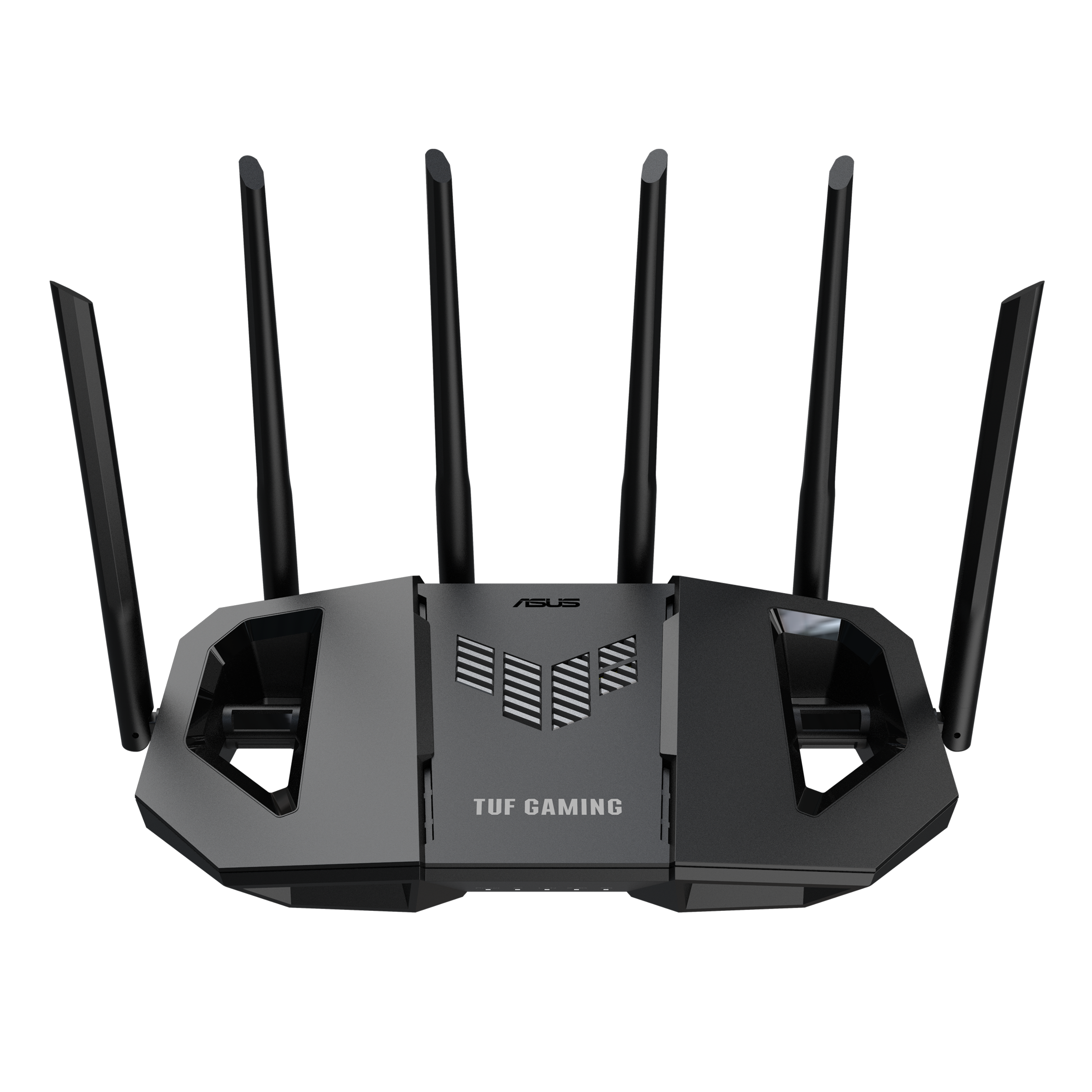
Image: manual
The ASUS TUF Gaming BE6500 is the newer WiFi 7 value pick. It makes sense if you want to move beyond WiFi 6, but you do not need the biggest router in a company’s lineup. For a gaming bedroom, apartment, or small home, this can be the smarter upgrade path than buying a premium flagship router first.
It is also a good match for buyers who like ASUS router software but want a more current wireless standard than the RT-AX86U Pro. WiFi 7 is not magic for every device, but it can help when your gaming laptop, handheld, phone, or future gear supports the newer standard and you are close enough to the router.
Drawbacks: it is not the same kind of all-out premium router as the largest WiFi 7 models, and you still need compatible clients to feel the wireless upgrade. If your gaming system is wired and your current router is stable, the benefit may be modest.
Who should skip this: skip it if you need maximum whole-home coverage, or if you would rather buy a mature WiFi 6 router at a discount.
Best High-End Whole-Home Pick: NETGEAR Nighthawk RS700S
Best Upgrade: NETGEAR Nighthawk RS700S
Use-Case Evaluation: Best for buyers who want a fast premium router for gaming, streaming, work calls, and whole-home daily use without choosing an aggressively gamer-styled design.
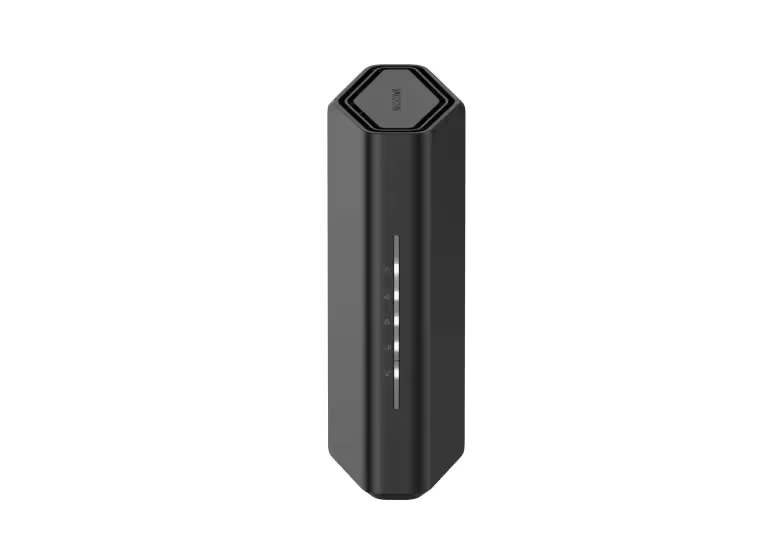
Image: manual
The NETGEAR Nighthawk RS700S is the high-end pick for people who want WiFi 7 power but do not necessarily want a router that looks like gaming hardware. It is a good fit for homes where gaming is important, but so are 4K streaming, remote work, smart-home devices, and general coverage.
For low ping, the value is not only speed. The RS700S gives your network more headroom so a game download, cloud backup, or streaming session is less likely to disrupt a match. It also fits better in shared living spaces than many large gaming routers.
Drawbacks: it is expensive, and some gamers may prefer the more explicit gaming features and styling of ASUS or TP-Link gaming lines. As with all WiFi 7 gear, the upgrade only makes sense if your devices and internet plan can benefit.
Who should skip this: skip it if you only need a single-room gaming router or if your current internet plan is modest and stable.
Comparison Table
| Router | Best For | WiFi Generation | Gaming Strength | Main Trade-Off |
|---|---|---|---|---|
| ASUS RT-AX86U Pro | Most wired or 5 GHz gaming setups | WiFi 6 | Strong value and gaming controls | No WiFi 7 or 6 GHz |
| ASUS TUF Gaming BE6500 | WiFi 7 value gaming setups | WiFi 7 | Newer standard with gaming focus | Benefits depend on compatible devices |
| NETGEAR Nighthawk RS700S | High-end whole-home networks | WiFi 7 | Fast, clean, versatile coverage | Less gamer-specific |
Gaming, Office, and Streaming Scenarios
For competitive FPS gaming, use Ethernet from the router to your PC or console whenever possible. If that is impossible, put the router in the same room or one room away, use 5 GHz or 6 GHz, and avoid playing while large uploads are running.
For a shared apartment, the ASUS RT-AX86U Pro is usually the most sensible balance. You get gaming controls and strong wireless without turning the router into a luxury purchase.
For a family home with streaming, work calls, cloud backups, and several gamers, the ASUS TUF Gaming BE6500 or NETGEAR RS700S makes more sense. Their extra bandwidth headroom matters when several people are online at once.
For daily office use, prioritize consistency. A router that prevents call drops and keeps latency steady is more valuable than one that only wins on maximum theoretical speed.
FAQ
Will a gaming router actually lower my ping?
It can lower local network lag, but it cannot change the physical distance to a game server or fix a bad ISP route. The biggest wins usually come from Ethernet, better QoS, cleaner WiFi signal, and reducing upload congestion.
Is WiFi 7 worth it for gaming in 2026?
WiFi 7 is worth considering if you have compatible devices, a fast internet plan, and a crowded home network. If your gaming PC or console is wired, a good WiFi 6 router can still be enough.
Should I use Ethernet or WiFi for FPS games?
Use Ethernet when you can. WiFi can be very good, especially close to a strong router, but Ethernet is still more stable for competitive shooters and ranked matches.
What router settings help with lag spikes?
Enable QoS or gaming prioritization, keep firmware updated, use 5 GHz or 6 GHz instead of 2.4 GHz for gaming devices, and avoid saturating upload bandwidth during matches.
Is a mesh system better than a gaming router?
A mesh system is better for large homes with dead zones. A single gaming router is usually better for a room or apartment where the gaming device is close and latency matters more than whole-home coverage.
Final Verdict
For most players, the ASUS RT-AX86U Pro is the best WiFi router for gaming low ping because it focuses on stable gaming performance without forcing a costly WiFi 7 upgrade. Choose the ASUS TUF Gaming BE6500 if you want a newer WiFi 7 gaming router at a more practical level. Choose the NETGEAR Nighthawk RS700S if you want a powerful high-end router that fits gaming, streaming, and daily home use in one clean package.
Check current prices before buying, because router discounts change often. If your current router is old, unstable, or overloaded by many devices, upgrading can make your gaming setup feel much smoother. If your ping problem comes from your ISP or a faraway game server, even the best router will only help around the edges.
Sources Reviewed
- ASUS RT-AX86U Pro official product page
- ASUS TUF Gaming BE6500 official product page
- NETGEAR Nighthawk RS700S official product page
GearLab recommendations are based on product specs, buyer-use cases, drawbacks, and real-world setup notes. Affiliate links do not change our picks.
As an Amazon Associate, we earn from qualifying purchases. Product prices and availability are accurate as of the date/time indicated and are subject to change.