
Quick Answer: For most gamers in 2026, a good modern wireless gaming mouse is effectively fast enough for competitive FPS play. The real difference is not “wired always wins” anymore; it is whether the wireless mouse has a strong sensor, stable 2.4 GHz connection, low click latency, good battery behavior, and the right shape for your hand. If you want the safest wireless pick, the Razer Viper V3 Pro Check price is the best overall choice. If you want a proven esports-style shape, the Logitech G Pro X Superlight 2 SE Check price is the best lightweight alternative. If you want a lower-cost wireless mouse that still makes sense for casual and competitive gaming, check the SteelSeries Aerox 3 Wireless Check price when it is on sale.
A gaming mouse is only one part of latency. Your monitor refresh rate, game settings, PC performance, router stability, and desk setup also matter. That is why this comparison fits naturally with our guides to the best gaming mouse for FPS competitive 2026, best WiFi router for gaming low ping 2026, and best gaming desk with cable management 2026.
Table of Contents
- Why You Can Trust This Guide
- Wired vs Wireless Gaming Mouse Latency: What Changed
- Best Overall Wireless FPS Pick: Razer Viper V3 Pro
- Best Lightweight Alternative: Logitech G Pro X Superlight 2 SE
- Best Budget Wireless Pick: SteelSeries Aerox 3 Wireless
- Comparison Table
- Wired Mouse Advantages
- Wireless Mouse Advantages
- Real-World Gaming, Office, and Travel Scenarios
- FAQ
- Final Verdict
- Sources Reviewed
Why You Can Trust This Guide
We compared wired and wireless gaming mice from the perspective of real gaming setups: ranked FPS matches, daily desktop use, travel, battery charging habits, cable drag, mousepad space, and how often players actually notice latency. We used official product pages from Razer, Logitech G, and SteelSeries as the baseline for the recommended products, then focused on practical tradeoffs instead of assuming every player needs the same mouse.
Wired vs Wireless Gaming Mouse Latency: What Changed
Older wireless mice had a clear disadvantage. They were heavier, less stable, and more likely to feel delayed or inconsistent. Modern 2.4 GHz gaming mice changed that. Good wireless mice now use dedicated receivers, high polling rates, efficient sensors, and lighter shells.
For most players, the bigger difference is feel. A wired mouse can still be excellent, but the cable can drag, hit the edge of a desk, or pull against the mouse during low-sensitivity aim. A wireless mouse removes that variable, which can make aiming feel cleaner even if the raw latency difference is tiny.
Best Overall Wireless FPS Pick: Razer Viper V3 Pro
Best Overall Razer Viper V3 Pro
Use-Case Evaluation: Best for competitive FPS players who want a light wireless mouse with a clean shape, fast response, and no cable drag during wide mousepad swipes.

Image: manual
The Razer Viper V3 Pro is the strongest example of why wired vs wireless is no longer a simple argument. It is built for esports-style use, and the main benefit is not only low latency. It is the combination of low weight, stable wireless, a comfortable competitive shape, and freedom from cable resistance.
For players using low sensitivity in Valorant, Counter-Strike 2, Apex Legends, or Fortnite, removing cable drag can matter more than chasing a theoretical wired advantage. It is also easier to keep a clean desk when the mouse is not another cable crossing your mousepad.
Drawbacks: it is expensive, and casual players may not need this level of performance. If you forget to charge your gear or dislike software ecosystems, a simple wired mouse can still be less annoying.
Who should skip this: skip it if you want the cheapest possible gaming mouse, or if you play mostly single-player games and do not care about weight or competitive response.
Best Lightweight Alternative: Logitech G Pro X Superlight 2 SE
Best Premium Logitech G Pro X Superlight 2 SE
Use-Case Evaluation: Best for players who want a familiar pro-style wireless shape with very low weight and a less flashy design for both gaming and daily office use.
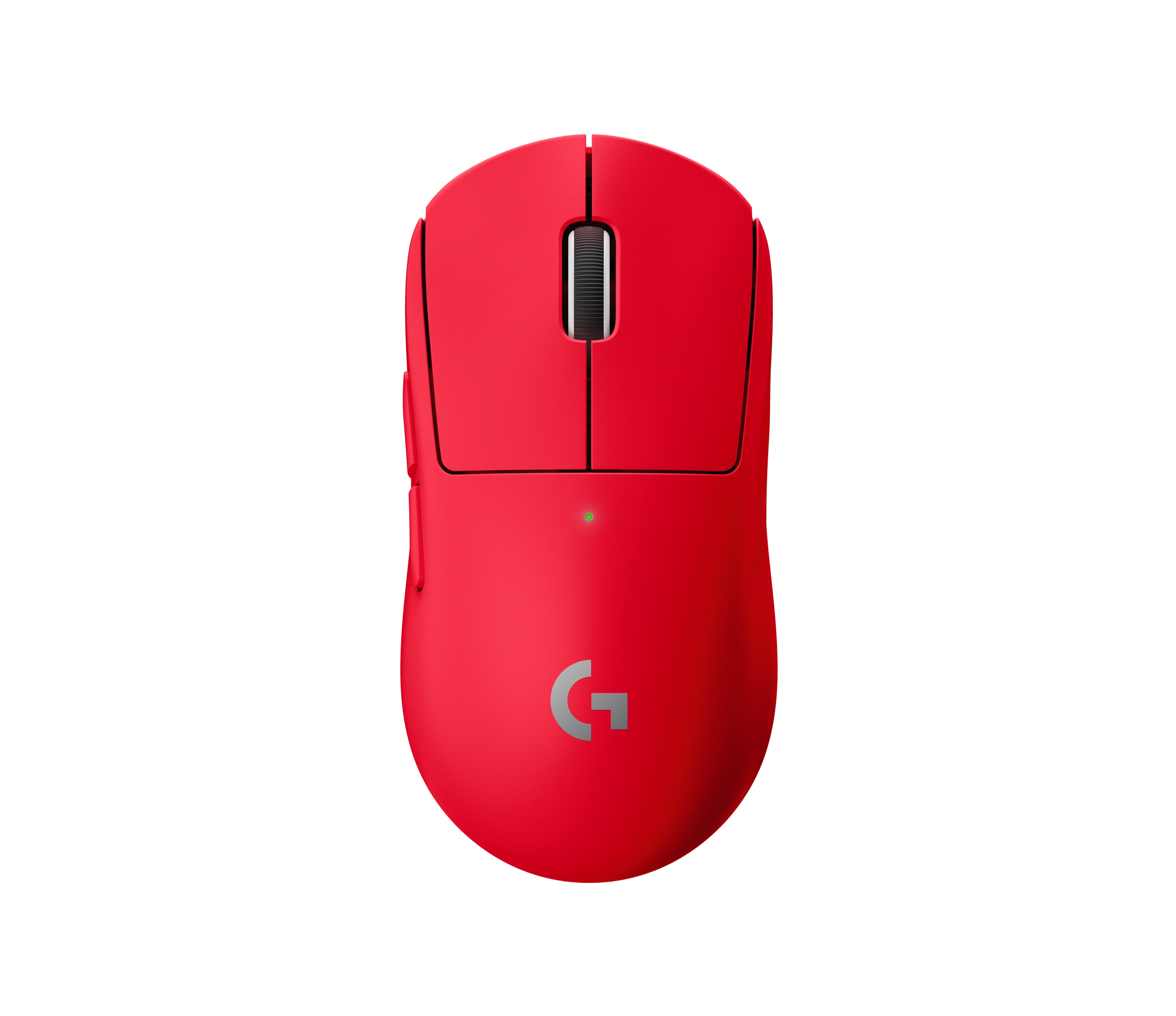
Image: manual
The Logitech G Pro X Superlight 2 SE is another reason wireless is now the default recommendation for many serious players. It has the familiar Superlight-style shape, low weight, and a clean design that works just as well on a work desk as it does in a gaming setup.
This is the kind of mouse that makes sense if you split time between esports, browsing, editing, and office work. There is no cable to manage, and the shape is neutral enough for many grip styles.
Drawbacks: it can still be pricey, and the shape is intentionally safe rather than dramatic. Some players may prefer a more aggressive ergonomic shape or a cheaper wired mouse.
Who should skip this: skip it if you need lots of side buttons, heavy customization, or a mouse that feels molded to a specific ergonomic grip.
Best Budget Wireless Pick: SteelSeries Aerox 3 Wireless
Best Budget SteelSeries Aerox 3 Wireless
Use-Case Evaluation: Best for gamers who want to try wireless without paying flagship prices and are willing to accept a less premium feel than the top esports mice.
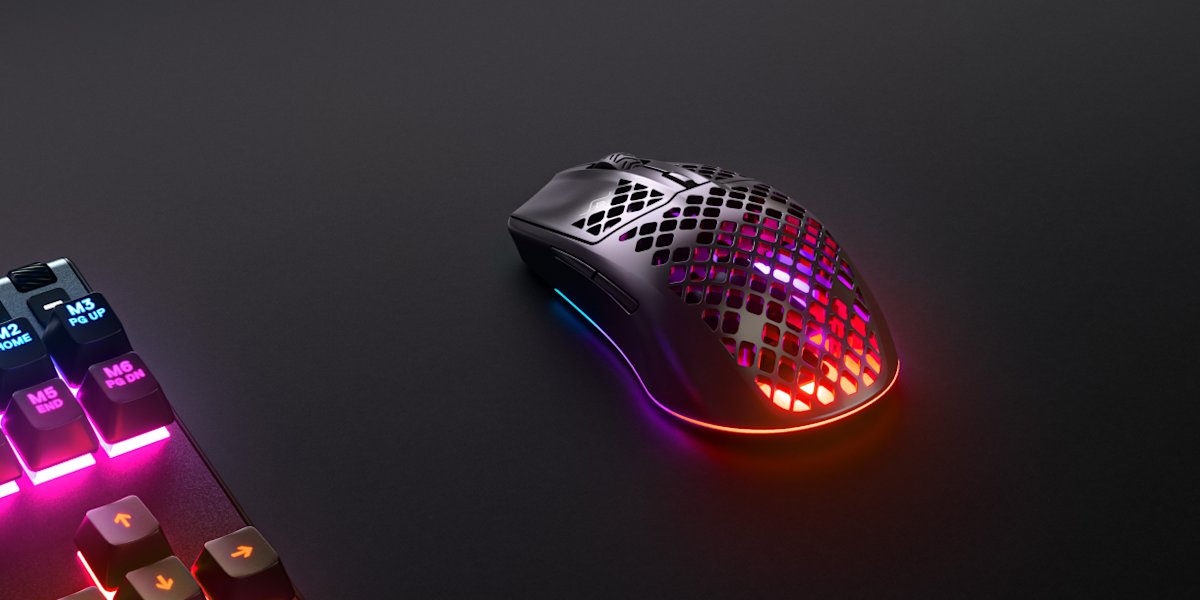
Image: manual
The SteelSeries Aerox 3 Wireless is a sensible budget-leaning choice when it is discounted. It gives you the key wireless benefit: no cable tug while aiming. For many casual FPS players, students, and bedroom gaming setups, that upgrade is more noticeable than a tiny difference in measured latency.
It is also a useful pick if your desk is crowded. Pair it with clean cable routing, a good mousepad, and a stable wireless receiver position, and the setup can feel much more open than a wired mouse dragging across the surface.
Drawbacks: it does not feel as refined as the top Razer or Logitech options, and its shape will not fit every hand. Battery life and build feel are also more important to watch at this price tier.
Who should skip this: skip it if you are already competing seriously and can justify a higher-end wireless mouse, or if you dislike perforated lightweight shells.
Comparison Table
| Mouse / Setup | Best For | Latency Reality | Main Strength | Main Trade-Off |
|---|---|---|---|---|
| Razer Viper V3 Pro | Competitive FPS | Wireless is fast enough for serious play | Top-tier wireless feel | Expensive |
| Logitech G Pro X Superlight 2 SE | Lightweight esports setups | Excellent modern wireless response | Safe shape and low weight | Premium price |
| SteelSeries Aerox 3 Wireless | Budget wireless gaming | Good enough for most casual/competitive players | Lower-cost cable-free setup | Less premium feel |
| Basic wired gaming mouse | Buyers who hate charging | Still reliable and simple | No battery worries | Cable drag |
Wired Mouse Advantages
A wired mouse is still simple, reliable, and easy to recommend for budget buyers. You do not need to charge it, pair it, update receiver firmware, or worry about wireless interference. If you mostly play casual games, use high sensitivity, or keep your desk clean with a mouse bungee, wired can still feel excellent.
Wired also makes sense for shared family PCs, office desks, and people who do not want another battery-powered device. A good wired mouse is often cheaper than an equivalent wireless model.
Wireless Mouse Advantages
Wireless wins on freedom of movement. There is no cable pushing against the mouse, snagging behind the monitor, or adding drag during a big flick. That makes wireless especially attractive for FPS players, large mousepads, and clean gaming desks.
Wireless is also easier for hybrid work. You can move the mouse between a desktop, laptop, and travel setup without dragging a cable around. For gaming laptops and dorm rooms, that convenience matters.
Real-World Gaming, Office, and Travel Scenarios
For esports and ranked FPS, choose a high-quality wireless mouse if your budget allows. The cable-free feel is worth it, and modern wireless latency is no longer the weak point it used to be.
For daily office use, a wireless gaming mouse can be more comfortable than a small productivity mouse, but make sure it has enough battery life and a shape you can use for long sessions.
For travel or dorm setups, wireless is cleaner. Just keep the USB receiver safe and charge before longer sessions.
For budget builds, do not force wireless. A good wired mouse plus a better mousepad may be the smarter upgrade if money is tight.
FAQ
Is a wireless gaming mouse slower than wired?
A poor wireless mouse can be slower or less stable, but a modern 2.4 GHz gaming mouse from a serious gaming brand is fast enough for most competitive players. Shape, weight, sensor quality, and connection stability usually matter more.
Do pro gamers use wireless mice?
Many competitive players use wireless mice now because the latency gap has become small and cable drag can hurt consistency. Some players still prefer wired because it is simple and never needs charging.
Can WiFi interfere with a wireless gaming mouse?
It can in bad setups, but most gaming mice use dedicated 2.4 GHz receivers and work best when the receiver is close to the mouse. Avoid plugging the receiver behind a metal PC case far from your mousepad.
Is a wired mouse better for budget gamers?
Often, yes. If your budget is tight, a good wired mouse can deliver excellent response for less money. Wireless becomes more compelling when you care about cable drag, desk cleanliness, and low-sensitivity aiming.
How often do wireless gaming mice need charging?
It depends on the model, polling rate, lighting, and battery size. Most serious gaming mice last long enough for normal sessions, but you should still build a charging habit if you play daily.
Final Verdict
For most gamers in 2026, the wired vs wireless gaming mouse latency debate is mostly settled: good wireless mice are fast enough. The Razer Viper V3 Pro is the best overall pick for serious FPS players, the Logitech G Pro X Superlight 2 SE is the best lightweight alternative, and the SteelSeries Aerox 3 Wireless is the practical budget wireless pick when the price is right.
Choose wired if you want the lowest cost, no battery management, and simple reliability. Choose wireless if you want cleaner aim movement, less desk clutter, and a setup that feels easier to use every day.
Sources Reviewed
- Razer Viper V3 Pro official product page
- Logitech G Pro X Superlight 2 SE official product page
- SteelSeries Aerox 3 Wireless official product page
GearLab recommendations are based on product specs, buyer-use cases, drawbacks, and real-world setup notes. Affiliate links do not change our picks.
As an Amazon Associate, we earn from qualifying purchases. Product prices and availability are accurate as of the date/time indicated and are subject to change.