
Why You Can Trust This Guide
This guide was rebuilt from current manufacturer specifications and support pages checked on August 22, 2026. GearLab did not run a controlled recording, noise-floor, frequency-response, or long-term durability test of these microphones. The recommendations therefore focus on documented connections, monitoring controls, pickup design, support status, and realistic desk and room constraints. No listening score or ownership claim is used.
What This Comparison Actually Measures
A microphone can be technically capable and still be wrong for a noisy room or crowded desk. We compared four practical decision points: whether the microphone uses USB, XLR, or both; whether it offers direct headphone monitoring; whether its pickup design suits close speech or a quieter room; and whether the exact model remains current and supported. Published sample rates are included as compatibility facts, not as proof that one microphone sounds better.
| Model | Connection | Pickup design | Monitoring | Best fit | Main caution |
|---|---|---|---|---|---|
| Samson Q2U | USB-C and XLR | Dynamic cardioid | 3.5 mm zero-latency output with level control | First podcast, gaming chat, shared room | Check current regional stock and package contents |
| Audio-Technica ATR2100x-USB | USB-C and XLR | Dynamic cardioid | Headphone jack with volume control | Existing owners or discounted complete stock | Official US page marks it discontinued |
| Rode NT-USB+ | USB-C | Condenser cardioid | Zero-latency headphone output | Quiet voice-over, streaming, instruments | More room and keyboard sound may reach the recording |
| Logitech G Yeti | USB | Multi-pattern condenser | Headphone output, gain, mute | Solo speech plus occasional multi-person use | Larger desk footprint and no XLR upgrade path |
Research note: Pickup pattern and microphone type influence setup choices, but they do not guarantee keyboard rejection, voice quality, or room-noise performance. Placement, gain, speaking distance, room reflections, and software processing still matter.
Samson Q2U: The Practical USB-to-XLR Starting Point
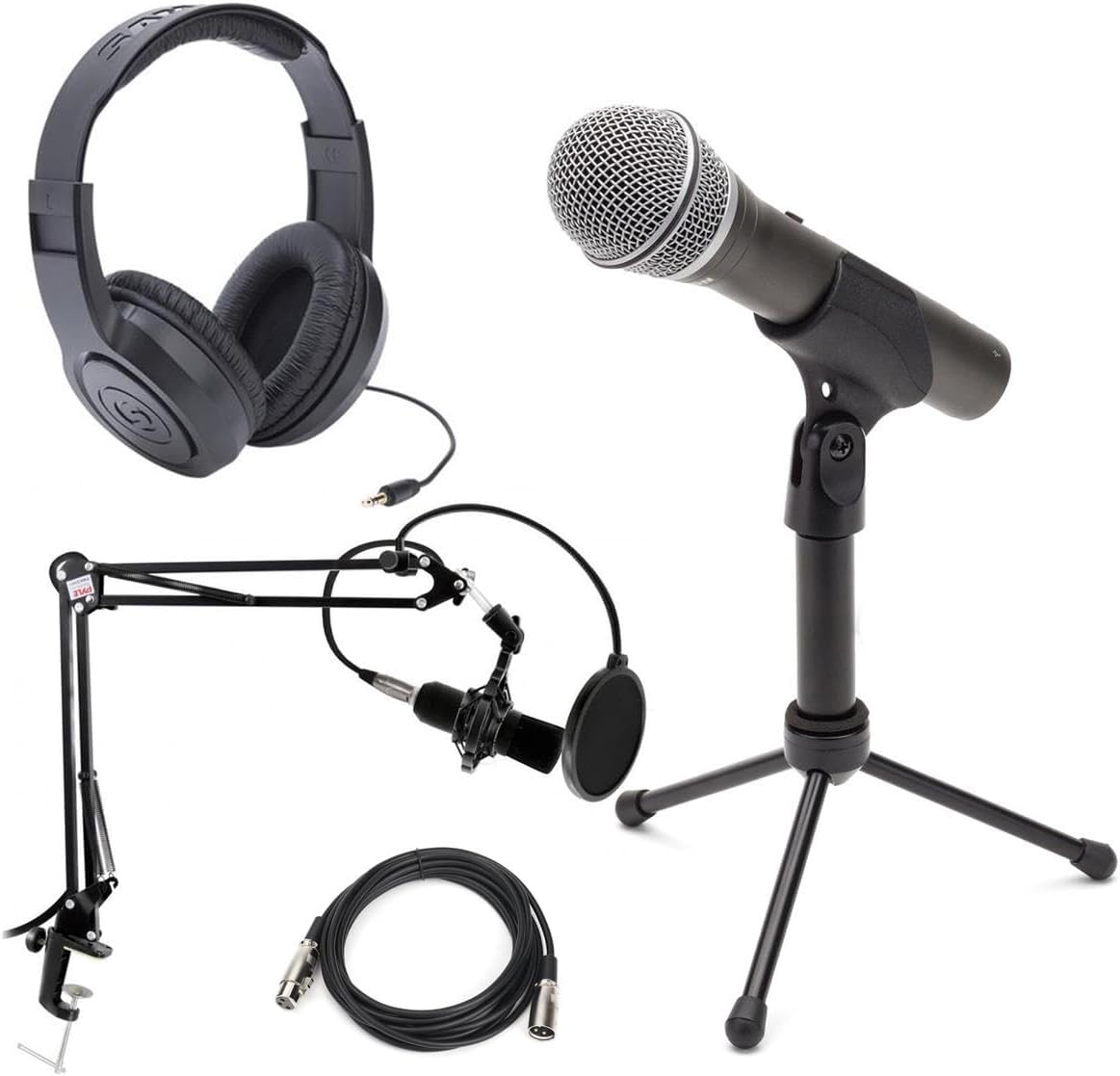
Samson documents the Q2U as a dynamic cardioid microphone with both USB-C and XLR outputs. That combination is useful for a beginner who wants to connect directly to a computer today, then add an audio interface or mixer later without replacing the microphone. Its 3.5 mm headphone output supports zero-latency monitoring, and the body includes headphone level controls and an on/off switch.
The published digital format reaches 16-bit at 44.1 or 48 kHz. That is sufficient for ordinary speech workflows, but buyers should not treat a higher number on another microphone as automatic evidence of clearer recordings. The Q2U package is documented with a desktop stand, windscreen, USB cable, and XLR cable, although seller bundles can differ. Samson’s direct page showed the item unavailable when checked, so verify the exact package and return policy before buying elsewhere.
Who should choose it
- New podcasters who want one microphone for both USB and future XLR use.
- Gamers or remote workers recording close to the microphone in a shared room.
- Buyers who value a simple physical on/off switch and direct monitoring.
Who should skip it
- Buyers who need 24-bit recording or unusually high published sample rates.
- Anyone unable to confirm current authorized stock, accessories, and warranty coverage.
Audio-Technica ATR2100x-USB: Useful, but No Longer a Default Buy
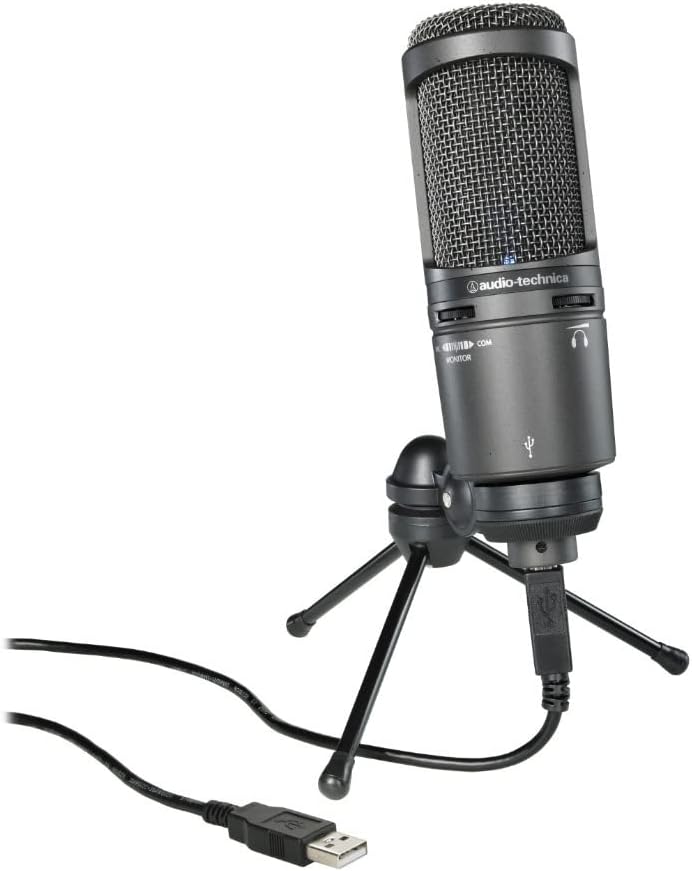
The ATR2100x-USB follows a similar hybrid concept: dynamic cardioid capture, USB-C for direct computer use, XLR for conventional audio gear, and a headphone jack with volume control. Audio-Technica lists 24-bit conversion at sample rates up to 192 kHz and includes USB-C-to-USB-C, USB-C-to-USB-A, and XLR cables with a tripod desk stand.
The important 2026 detail is support status. Audio-Technica’s US product page marks this model discontinued. Remaining inventory may still work well for an informed buyer, but a discount should be weighed against warranty clarity, replacement availability, seller returns, and whether every cable and stand part is included. It should not outrank current products merely because an old comparison once recommended it.
Rode NT-USB+: Better Suited to a Quiet, Controlled Position
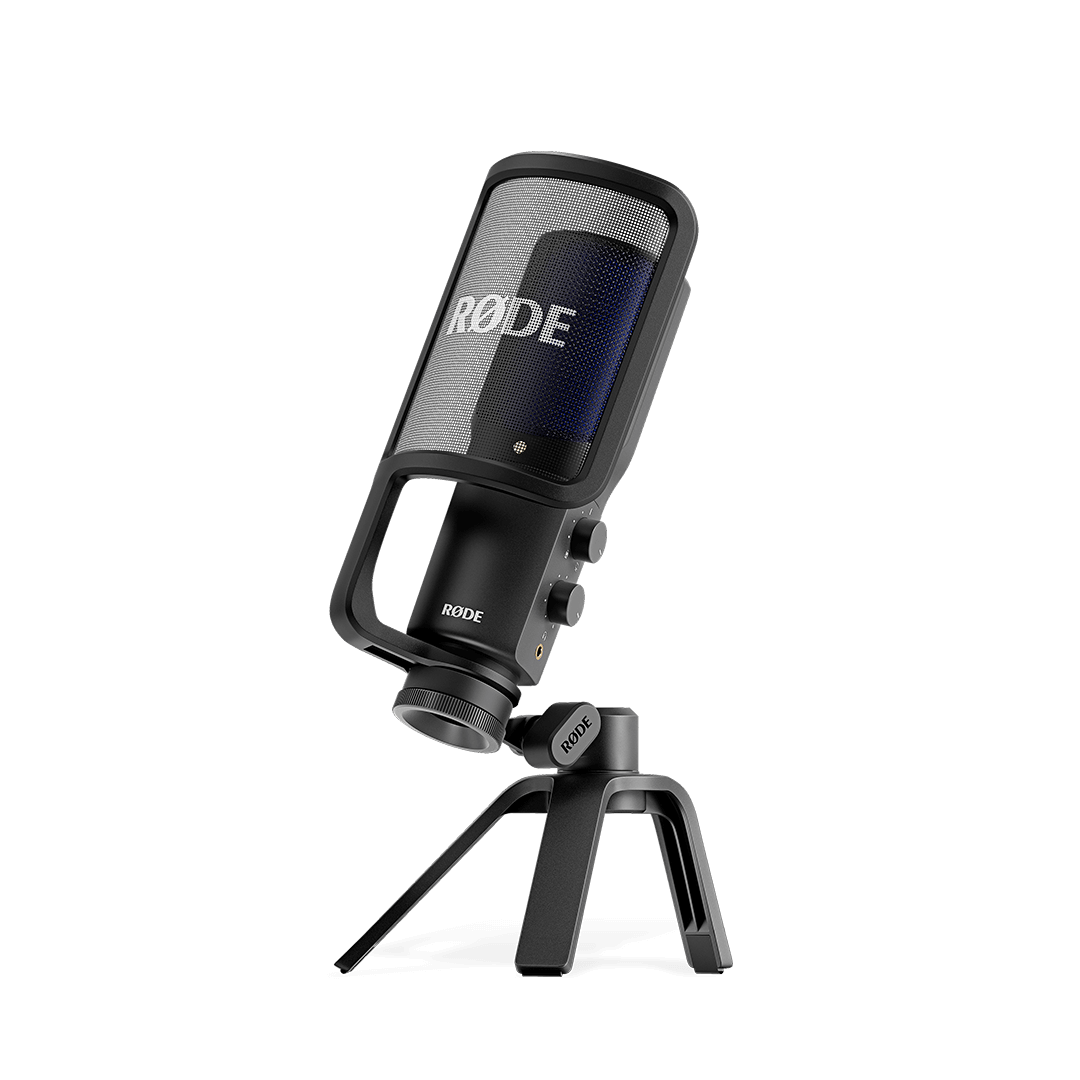
Rode’s NT-USB+ is a current cardioid condenser microphone that connects over USB-C and records at 24-bit/48 kHz. It provides a zero-latency headphone output and supports Rode’s APHEX processing through compatible apps. The documented package includes a pop filter, desktop stand, ring mount, and USB-C cable.
This is the more natural option for a quiet voice-over desk, controlled streaming position, or occasional instrument recording where a condenser’s sensitivity is useful. That same sensitivity can be inconvenient beside a loud mechanical keyboard, computer fan, bare wall, or open office. The microphone does not provide XLR, so moving to a conventional interface later means changing microphones or keeping the NT-USB+ as a separate USB device.
Who should choose it
- Creators working in a reasonably quiet room with consistent microphone placement.
- Buyers who want a current USB-C microphone with direct monitoring and included pop filter.
- Users who value app-based processing and do not need XLR.
Who should skip it
- People recording beside a loud keyboard, fan, television, or another speaker.
- Buyers specifically planning an XLR mixer or multi-microphone interface.
Logitech G Yeti: Selectable Patterns for a Flexible Desk
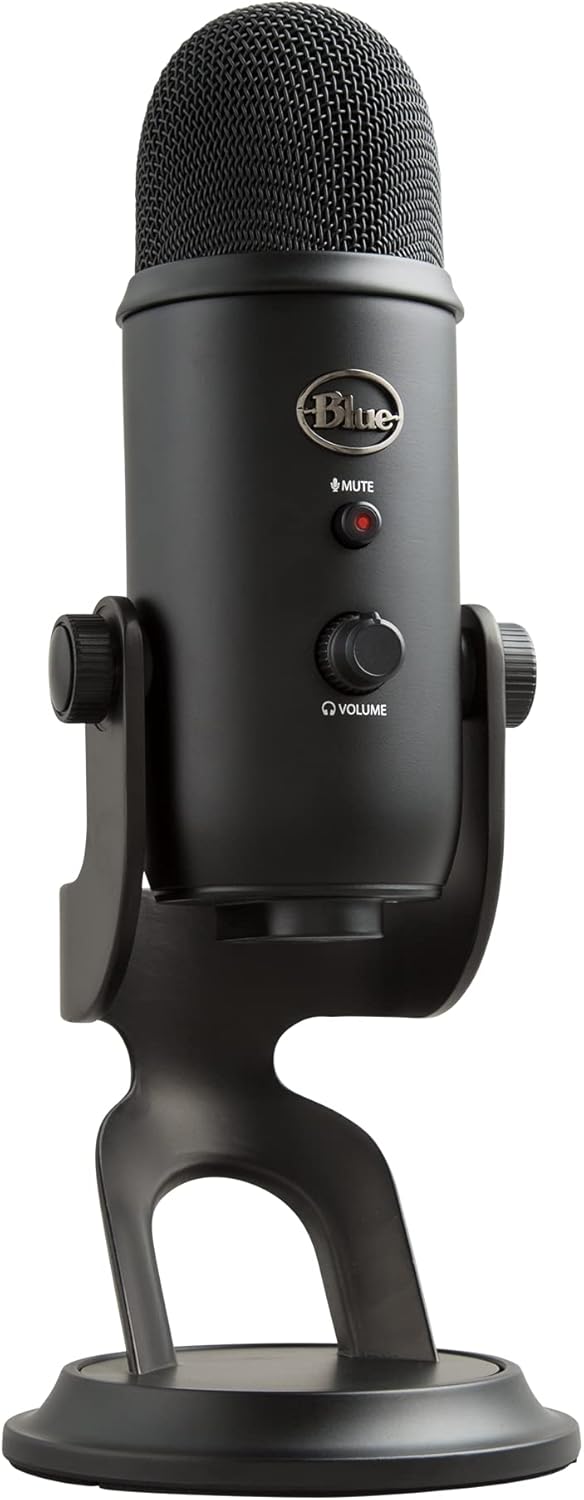
The current Logitech G Yeti page documents four pickup patterns, onboard gain, instant mute, and a headphone output. Cardioid is the normal solo-speech choice, while bidirectional or omnidirectional modes can help with an occasional face-to-face conversation or group pickup. Blue VO!CE processing requires Logitech G HUB, so buyers should separate the microphone’s hardware controls from optional software features.
The Yeti is less attractive when desk space is tight or a future XLR path is important. Its multi-pattern design is flexibility, not automatic noise rejection. For one speaker in a noisy bedroom or office, a close-positioned dynamic cardioid model may be simpler to control.
Choose by Real Use Case
Gaming and voice chat beside a keyboard
Start with the Q2U or another close-positioned dynamic cardioid microphone. Put the rear of the cardioid pattern toward the keyboard where practical, keep the microphone near the mouth, and lower gain. Software noise removal can help, but it should not compensate for a microphone placed across the desk.
Daily office calls
Prioritize a stable stand, easy mute control, headphone monitoring, and a cable that reaches the computer without tension. A hybrid USB/XLR feature is optional for calls; reliable placement matters more. For headphone leakage and awareness tradeoffs, see our guide to closed-back versus open-back headphones for office work.
Solo podcast now, mixer later
The Q2U’s dual connection is the cleanest migration path among the current options discussed here. The discontinued ATR2100x-USB offers the same concept only when a trustworthy complete unit remains available. Read our budget DAC and headphone amp guide before adding hardware that may not be needed for direct microphone monitoring.
Quiet voice-over or acoustic instrument
The NT-USB+ is the more relevant shortlist because it is a current condenser with USB-C, direct monitoring, and an included pop filter. Test the actual room during the seller’s return window. Bare walls and distant placement can matter more than the microphone’s published digital format.
Setup Checklist Before You Buy
- Confirm the exact microphone, regional warranty, and included cables.
- Choose USB-only or USB/XLR based on the next two years of use, not an imagined studio upgrade.
- Measure stand or boom-arm clearance around the monitor and keyboard.
- Check the mount thread and whether an adapter is required.
- Plan for a 10-20 cm speech distance, then adjust placement and gain together.
- Keep packaging until the microphone, monitoring output, mute behavior, and operating-system recognition are confirmed.
FAQ
Will a dynamic USB microphone remove keyboard noise?
No. A dynamic cardioid microphone used close to the mouth can make the voice stronger relative to room noise, but keyboard type, direction, desk vibration, gain, and placement still affect the recording.
Is 24-bit/192 kHz necessary for a podcast?
Not usually. Higher published formats can help in specialized production workflows, but microphone position, a clean recording level, room control, and editing discipline normally matter more for spoken-word intelligibility.
Can I monitor without hearing a delay?
All four models discussed here provide a direct headphone-monitoring path. Confirm the required connector and learn how its mix or level control works before a live recording.
Should two people share one Yeti?
Its selectable patterns make occasional shared pickup possible, but separate close microphones give each speaker more control. A single desk microphone also captures more room sound as people sit farther away.
Is the discontinued ATR2100x-USB still worth buying?
Only when the price reflects its status and the seller provides a complete package, clear returns, and acceptable warranty coverage. Do not buy it assuming long-term availability will match a current model.
Current Availability and Official Sources
- Samson Q2U official product page
- Audio-Technica ATR2100x-USB official product page
- Rode NT-USB+ official product page
- Logitech G Yeti official product page
- Check current Samson Q2U availability on Amazon
- Check current Rode NT-USB+ availability on Amazon
- Check current Logitech G Yeti availability on Amazon
As an Amazon Associate, we earn from qualifying purchases.
Final Verdict
Choose the Samson Q2U when a current, complete unit is available and USB-to-XLR flexibility is the priority. Choose the Rode NT-USB+ for a quiet USB-only creation desk, or the Logitech G Yeti when selectable patterns solve a real shared-recording need. Treat the ATR2100x-USB as a discontinued reference rather than the automatic budget winner. Whichever model you choose, placement and room control deserve as much attention as the specification table.