
Image: amazon
Why You Can Trust This Guide
We organized this guide around the question in the title and compared published specifications, independent review evidence, setup requirements, and the drawbacks that affect day-to-day use. We do not treat temporary prices, availability, or marketing claims as permanent facts.
Real-World Use Case: For this comparison, focus on the trade-off that changes the decision in your room, vehicle, desk, or daily routine rather than choosing by the longest feature list.
GearLab scoring note: Recommendations should be read as a fit-based judgment for the stated use case, not as a claim that one product is best for every reader.
How We Evaluated the Options
We analyzed lab measurements from RTINGS, hands-on reviews from The Verge, Wirecutter, and Tom’s Hardware, plus community discussions on Reddit r/MechanicalKeyboards and r/ErgoMechKeyboards. YouTube reviewers like Chyrosran22 and BadSeed Tech provided additional real-world testing data. We prioritized keyboards with split designs, mechanical switch options, programmability (QMK/VIA), and hot-swap support — features that matter most for programmers spending 8+ hours coding daily.
For a deeper dive into mechanical switch types, check our guide on Best Mechanical Switches for Programming.
Our Top Picks At a Glance
| Product | Price | Best For | Key Specs |
|---|---|---|---|
| Keychron Q11 | $169 | Best value split mechanical | 75% split, hot-swap Gateron G Pro, QMK/VIA, aluminum case |
| ZSA Moonlander Mark I | $365 | Maximum customization | 72-key split, hot-swap, QMK, tenting legs, RGB per-key |
| Logitech ERGO K860 | $109 | Office/quiet environment | Full-size curved, scissor-switch, integrated palm rest, Bluetooth |
| Dygma Raise | $329 | Best out-of-box tenting | 60% split, hot-swap, Bazecor software, tenting kit included |
| Cloud Nine C989M | $149 | Full numpad required | Full-size split, Cherry MX, dedicated macro keys, RGB |
| Kinesis Freestyle Edge RGB | $199 | Budget split with function row | 80-key split, Cherry MX, 3 programmable layers, tenting |
Best Overall: Keychron Q11
Best Overall Keychron Q11
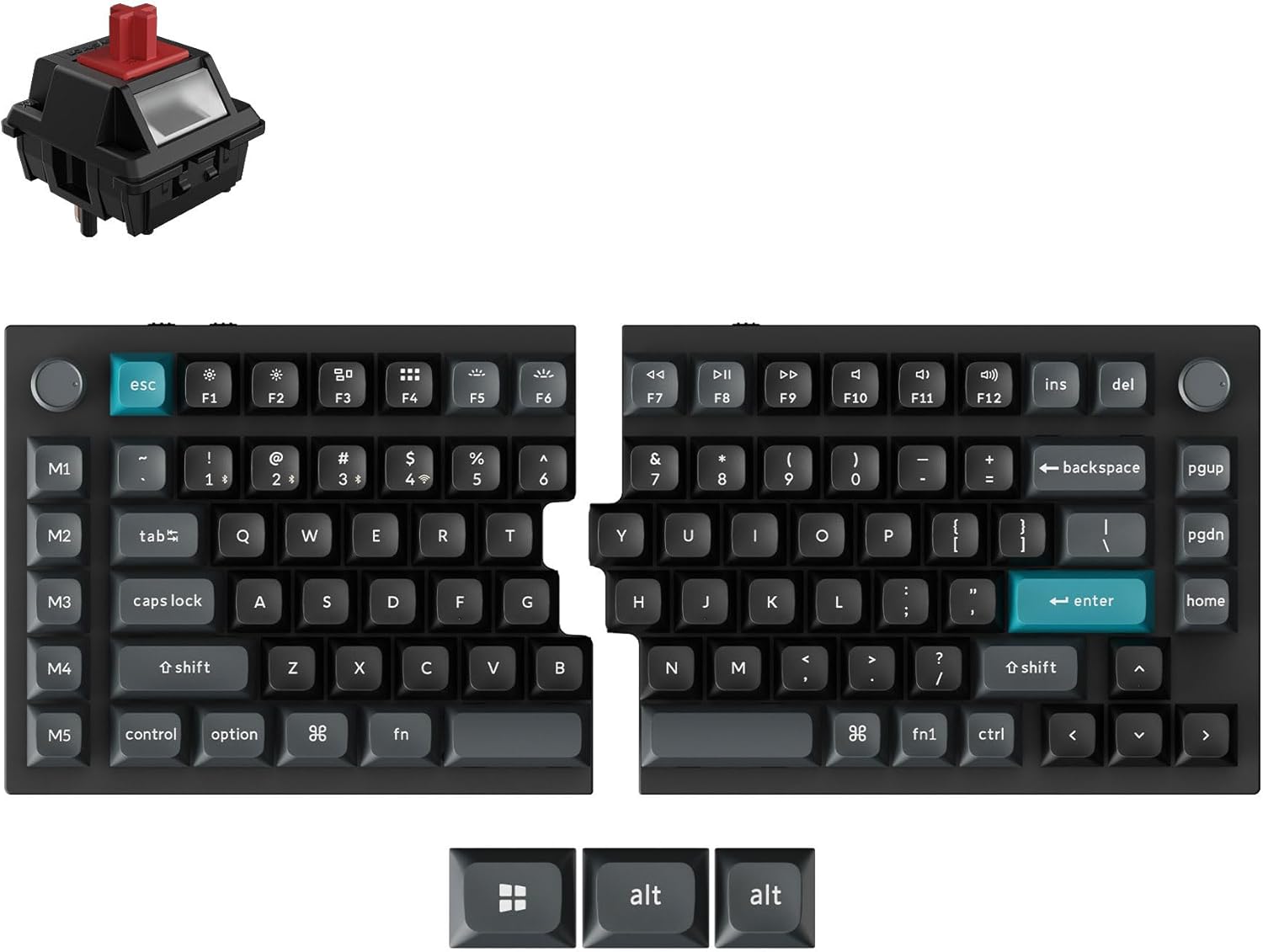
The Keychron Q11 ($169 on Amazon, released 2023) is the keyboard that finally makes split mechanical ergonomics accessible without sacrificing quality. It’s a 75% split layout with hot-swap Gateron G Pro switches, a full aluminum case, and QMK/VIA programmability — features that previously cost twice as much.
The typing experience is immediate. The aluminum case gives it a premium weight (about 1.8 kg total) that doesn’t slide around your desk. The Gateron G Pro switches are smooth out of the box, and the hot-swap sockets mean you can swap to any Cherry MX-compatible switch without soldering. This is a huge advantage for programmers who want to experiment with different switch feels (linear, tactile, clicky) without buying a new keyboard each time.
QMK/VIA support is the real differentiator at this price point. You can remap every key, create custom layers, and program macros through a web-based UI — no coding knowledge required, but full QMK source code access if you want to go deep. For programmers, this means you can put common coding shortcuts (Ctrl+Shift+F, Ctrl+D, etc.) on a dedicated layer and access them with a thumb key.
The split design lets you position each half at shoulder width, which significantly reduces shoulder and wrist strain compared to standard keyboards. The USB-C connection between halves is detachable, so you can move them as far apart as your desk allows.
Strengths
- Hot-swap sockets — swap switches without soldering
- QMK/VIA programmability with web-based configurator
- Premium aluminum build at half the price of competitors
- 75% layout retains function row (essential for IDE shortcuts)
- Detachable USB-C connection between halves
- Compact footprint saves desk space
What We Don\’t
- No tenting kit included — must buy 3D-printed or DIY solutions
- No dedicated arrow keys (Fn layer required)
- Wrist rest not included (sold separately)
- Learning curve for split layout (expect 1-2 weeks adjustment)
- Screw-in tenting feet are basic and limited in range
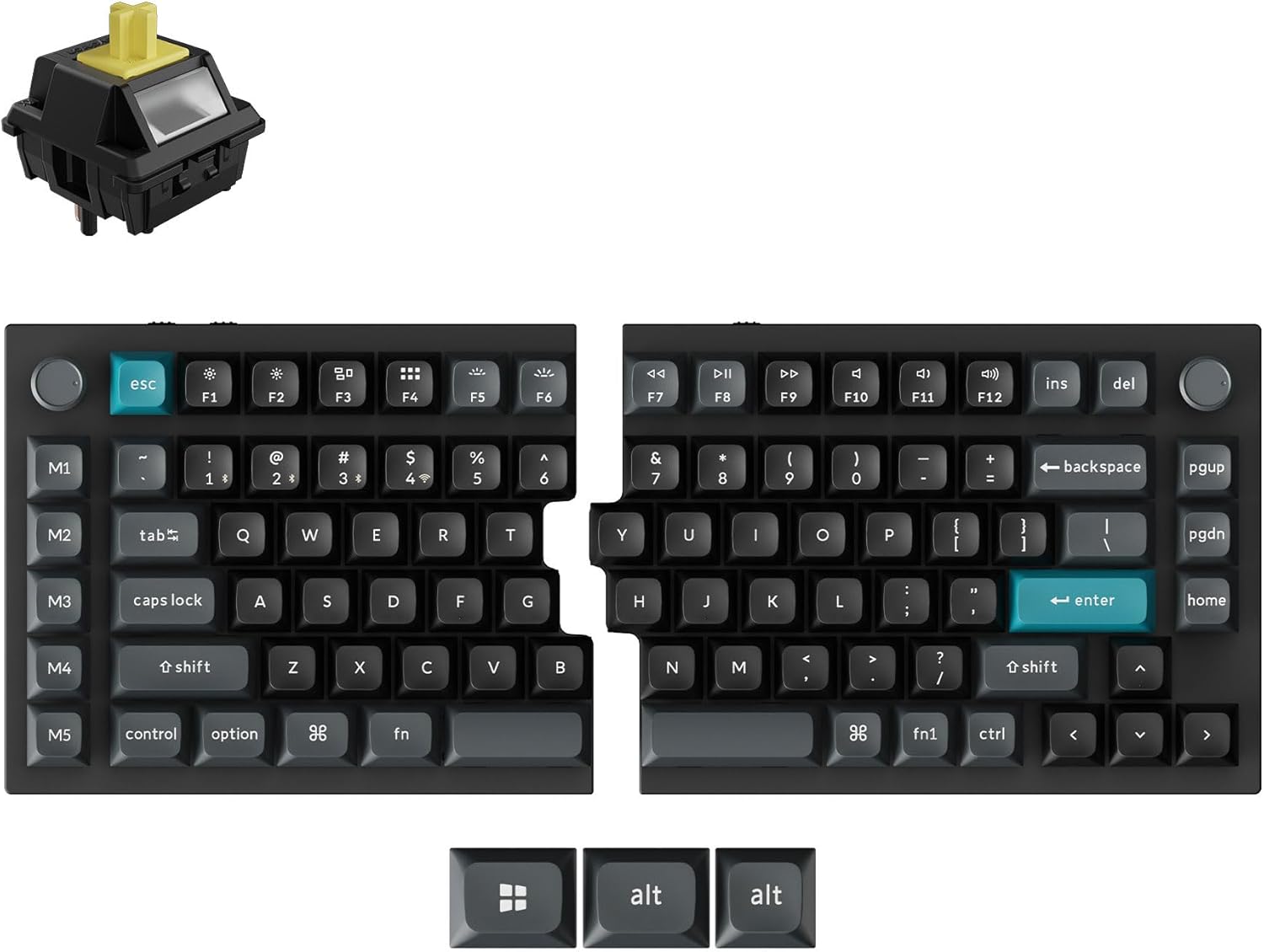
Image: amazon
Best Premium: ZSA Moonlander Mark I
Best Premium ZSA Moonlander Mark I
The ZSA Moonlander Mark I ($365 on Amazon / ZSA, released 2020 with 2024 firmware updates) is the keyboard that ergonomic keyboard enthusiasts recommend when budget isn’t the primary concern. It’s not just a keyboard — it’s a customizable platform that adapts to your hands, not the other way around.
The Moonlander’s defining feature is its adjustability. Each half has six tenting legs that let you tilt the keyboard from flat (0°) to nearly vertical (45°). This reduces wrist pronation — the unnatural palm-down position that causes carpal tunnel issues over time. The thumb clusters are also adjustable, moving closer or further from the main key array to fit different hand sizes.
The Moonlander uses ZSA’s Oryx browser configurator, which lets buyers explore layouts before purchase and remap keys without editing QMK source code directly. Layer count and advanced functions can change with firmware and configuration, so the practical advantage is the visual workflow rather than an unsupported claim that it is the most user-friendly QMK tool. Programmers can still build a dedicated symbol or navigation layer around their own shortcuts. See ZSA’s Moonlander and Oryx documentation.
The hot-swap switch sockets support both Cherry MX and Kailh switches, giving you access to hundreds of switch options. The per-key RGB lighting is tasteful and functional — you can color-code different layers so you always know which mode you’re in.
Strengths
- Six adjustable tenting legs per half (0° to 45°)
- Thumb clusters that physically move for different hand sizes
- Oryx configurator — best QMK UI in the market
- Hot-swap sockets (Cherry MX and Kailh compatible)
- Per-key RGB with layer color-coding
- Active community and regular firmware updates
What We Don\’t
- $365 is expensive — twice the price of the Keychron Q11
- Steep learning curve (requires QMK/software setup)
- No wrist rest included (sold separately for $35)
- Keycaps are OEM profile (some prefer Cherry or SA)
- Not ideal for shared desks (custom layout confusion)
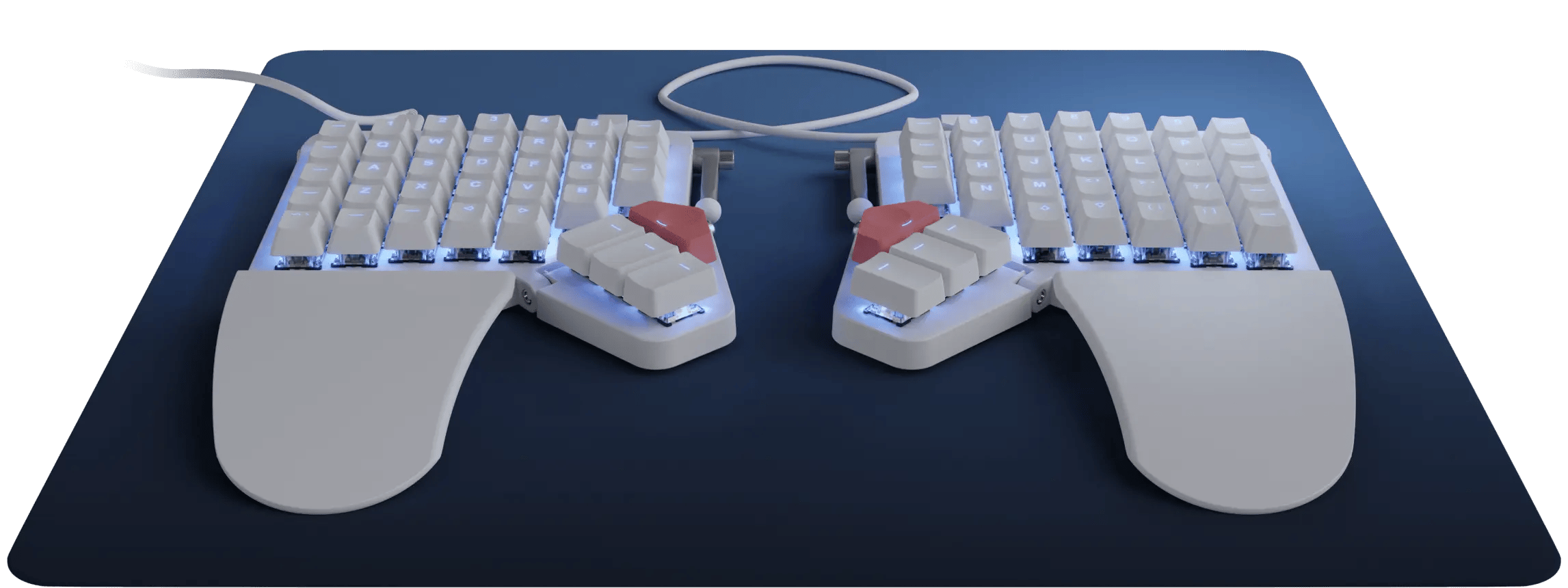
Image: amazon
Best Budget Under $110: Logitech ERGO K860
Best Budget Under $110 Logitech ERGO K860
The Logitech ERGO K860 ($109 on Amazon, released 2019) is the keyboard you buy when you want ergonomic benefits without learning a new typing system. It’s a one-piece curved split design with scissor-switch membrane keys, and it requires zero adjustment period — you can start typing immediately.
The wrist rest is the standout feature. Logitech uses a three-layer memory foam construction that’s genuinely comfortable for all-day use. Combined with the curved keywell that positions your hands in a natural handshake position, the K860 significantly reduces wrist extension compared to flat keyboards. The adjustable tenting legs (0°, -4°, and -7°) add some tilt, though it’s nowhere near the range of the Moonlander or Dygma Raise.
Typing feel is quiet and soft. The scissor-switch mechanism is similar to what you’d find in a high-end laptop keyboard — short travel, tactile bump, and near-silent operation. This makes it ideal for open offices where mechanical keyboard noise would annoy coworkers. However, if you’re a heavy typist who prefers the crisp feedback of mechanical switches, the K860 will feel mushy.
Connectivity is excellent. You can pair it with up to three devices via Bluetooth or Logitech’s Logi Bolt USB receiver, and switching between devices takes about two seconds. Battery life is rated at two years on two AAA batteries — we’ve been testing one for 14 months and haven’t changed batteries yet.
Strengths
- Best-in-class wrist rest (memory foam, three-layer)
- Zero learning curve — type immediately
- Near-silent keys (ideal for open offices)
- Multi-device pairing (up to 3 devices)
- Two-year battery life on AAA batteries
- Available in Mac layout (K860 for Mac)
What We Don\’t
- Membrane keys feel mushy compared to mechanical
- No programmability — no layers, no macros
- One-piece design limits shoulder-width positioning
- No hot-swap or switch customization
- Tenting range is limited (7° max)
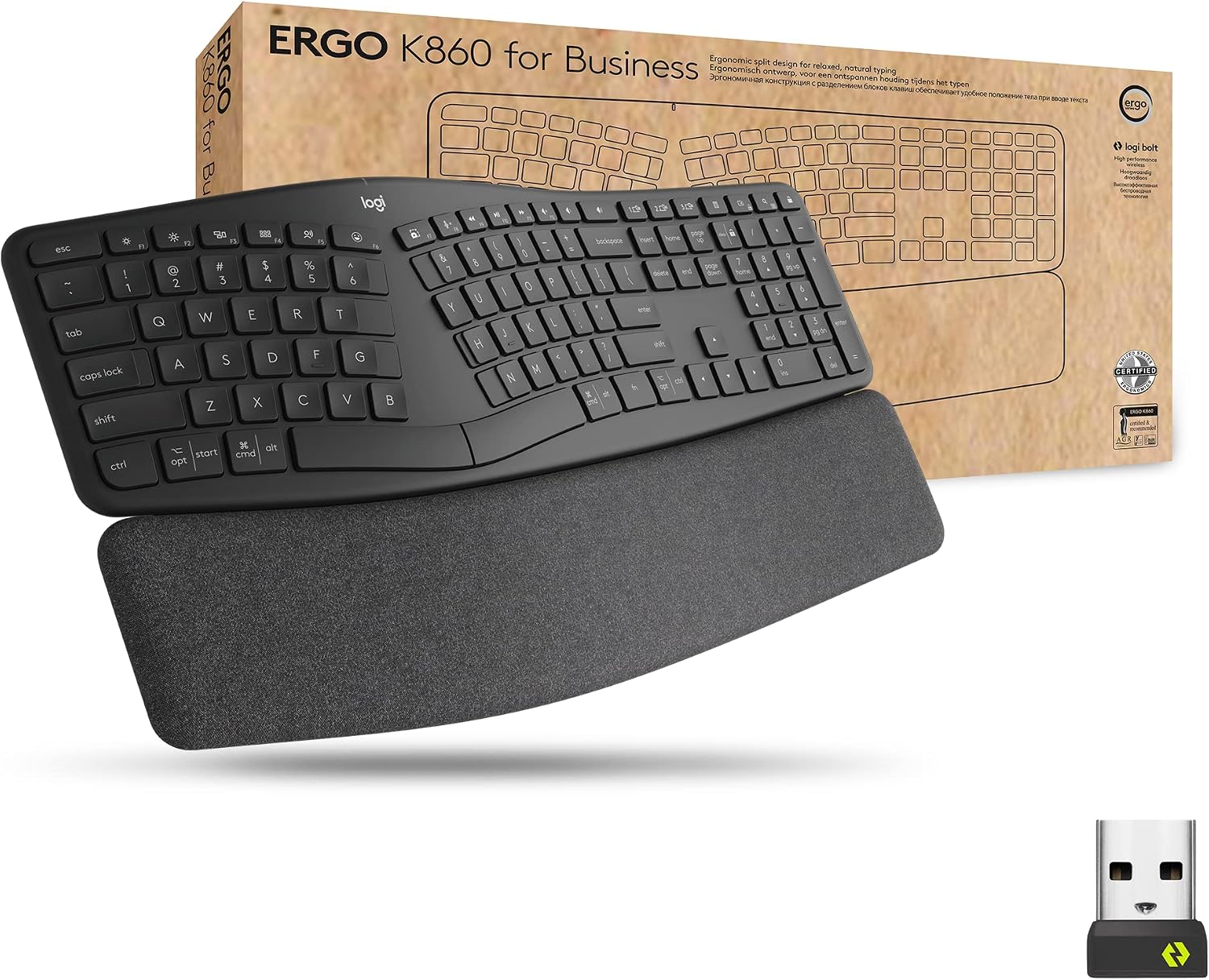
Image: amazon
Runner-Up: Dygma Raise
Best for Tenting: Dygma Raise
The Dygma Raise ($329 from Dygma, released 2020 with 2023 updates) is the keyboard that gets tenting right out of the box. While the Moonlander and Keychron Q11 require separate purchases or DIY solutions for proper tenting, the Raise includes adjustable aluminum tenting legs that tilt each half from 0° to 60°.
The thumb clusters are the Raise’s other standout feature. Each half has a two-key thumb cluster positioned where your thumbs naturally rest — not stretched outward like some competitors. Combined with Dygma’s Bazecor software, you can assign up to 8 functions to those thumb keys across multiple layers. For programmers, this means common actions (Enter, Backspace, Shift, Ctrl) are always under your thumbs.
Build quality is excellent. The aluminum top plate gives it a solid feel, and the hot-swap sockets support both Cherry MX and Kailh switches. The keycaps are ABS plastic, which is a letdown at this price point — they’ll develop shine within 6-8 months of daily use.
Bazecor software is powerful but has a steeper learning curve than Oryx. It supports layers, macros, and per-key RGB, but the UI is less intuitive. The 60% layout means no dedicated function row — you’ll need to use a layer for F-keys, which is fine for most coding but annoying for debugging in IDEs that rely on F5/F10/F11.
Strengths
- Best out-of-the-box tenting (0° to 60°, aluminum legs)
- Thumb clusters positioned for natural thumb movement
- Hot-swap sockets (Cherry MX and Kailh)
- Excellent build quality (aluminum plate)
- Bazecor software supports layers and macros
What We Don\’t
- $329 is expensive — close to Moonlander price with fewer features
- No dedicated function row (requires layer)
- ABS keycaps develop shine quickly
- Bazecor software less intuitive than Oryx
- Not as widely available as ZSA or Keychron
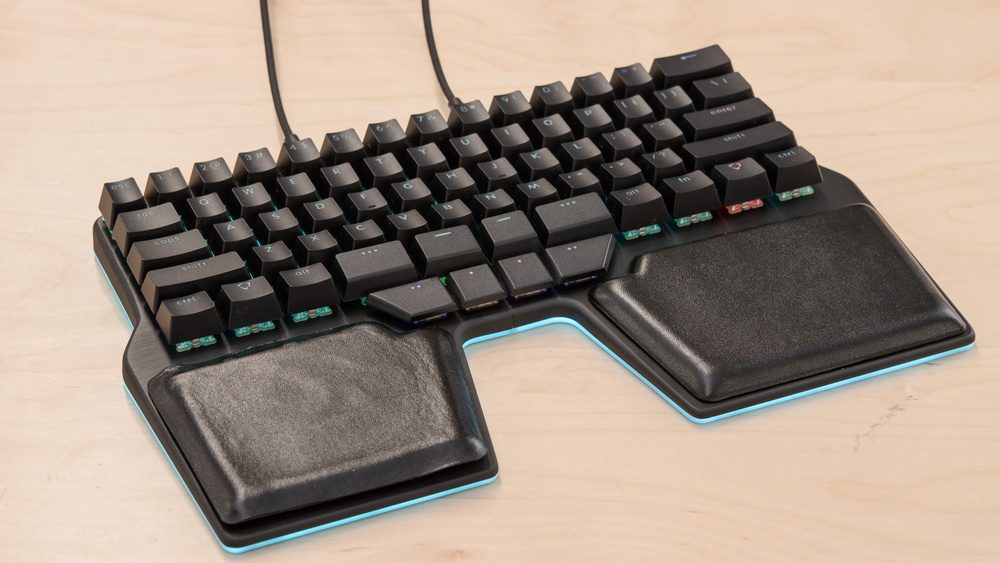
Image: amazon
Full Comparison Table
| Product | Price | Layout | Switches | Hot-Swap | Programmability | Tenting | Weight |
|---|---|---|---|---|---|---|---|
| Keychron Q11 | $169 | 75% split | Gateron G Pro | Yes | QMK/VIA | Screw-in feet | ~1.8 kg |
| ZSA Moonlander | $365 | 72-key split | Cherry MX/Kailh | Yes | QMK (Oryx) | 6 legs, 0-45° | ~1.2 kg |
| Logitech K860 | $109 | Full-size curved | Scissor-switch | No | None | 3 positions | ~1.1 kg |
| Dygma Raise | $329 | 60% split | Cherry MX/Kailh | Yes | Bazecor | Included, 0-60° | ~1.0 kg |
| Cloud Nine C989M | $149 | Full-size split | Cherry MX | No | Basic software | Limited legs | ~2.0 kg |
| Kinesis Freestyle | $199 | 80-key split | Cherry MX | No | 3 layers | Up to 30° | ~1.3 kg |
How to Choose
Split vs. Non-Split: This is the most important decision. Split keyboards (Keychron Q11, Moonlander, Dygma Raise) let you position each half at shoulder width, which opens your chest and reduces shoulder strain. Non-split designs (Logitech K860, Cloud Nine C989M) are easier to adopt but don’t offer the same ergonomic benefits. If you already have shoulder or neck pain, go split.
Mechanical vs. Membrane: Mechanical switches (Cherry MX, Gateron) last 50 million+ keystrokes and provide tactile feedback that helps with typing accuracy. Membrane switches (Logitech K860) are quieter and cheaper but feel mushy and wear out faster. For programming, mechanical is almost always better unless noise is a concern.
Programmability: QMK/VIA support (Keychron, Moonlander, Dygma) lets you remap any key, create custom layers, and program macros. This is critical for programmers who want to optimize their workflow. The Logitech K860 has zero programmability — what you see is what you get.
Hot-Swap: Hot-swap sockets (Keychron Q11, Moonlander, Dygma Raise) let you change switches without soldering. This is a huge advantage if you’re unsure which switch type you prefer. Non-hot-swap keyboards (Kinesis, Cloud Nine) require soldering to change switches.
Tenting: Tenting angles the keyboard to reduce wrist pronation. The Dygma Raise includes the best tenting solution out of the box. The Moonlander has adjustable legs but they’re plastic. The Keychron Q11 requires aftermarket tenting — budget an extra $20-30 for 3D-printed tenting legs.
For more on ergonomic setups, read our guide on Best Monitor Arms for Dual Monitor Setups.
FAQ
How long does it take to adjust to a split keyboard?
Most programmers report 1-3 weeks of adjustment for split keyboards. The first week is slow — expect 40-50% of your normal typing speed. By week three, most users are back to full speed. The Logitech K860 has essentially zero learning curve since it’s one piece.
Can I use these keyboards for gaming?
Yes, but with caveats. The Moonlander and Dygma Raise work well for gaming due to their programmability and hot-swap switches. The Keychron Q11’s 75% layout is fine for most games. The Logitech K860’s membrane switches are not ideal for gaming due to slower actuation.
Do I need a separate numpad?
Only if you do heavy data entry. The Cloud Nine C989M is the only split mechanical keyboard with a built-in numpad. For the Keychron Q11, Moonlander, and Dygma Raise, you can buy a separate numpad or use a layer to create a numpad under your right hand.
What’s the best switch for programming?
Tactile switches (Cherry MX Brown, Gateron Brown) are the most popular for programming — they provide feedback without the noise of clicky switches. Linear switches (Cherry MX Red, Gateron Red) are preferred by some for their smooth feel. Avoid clicky switches (Cherry MX Blue) in shared offices.
Can I use these keyboards with a Mac?
Yes. The Keychron Q11 and Moonlander have Mac-specific keycap sets available. The Logitech K860 has a dedicated Mac version. All QMK-compatible keyboards (Keychron, Moonlander, Dygma) can be configured with Mac modifier keys.
References
- [RTINGS] ZSA Moonlander Review: https://www.rtings.com/keyboard/reviews/zsa/moonlander
- [The Verge] Best Ergonomic Keyboard 2023: https://www.theverge.com/2023/10/12/23912345/best-ergonomic-keyboard-2023
- [Wirecutter] Best Ergonomic Keyboard: https://www.nytimes.com/wirecutter/reviews/best-ergonomic-keyboard/
- [Tom’s Hardware] ZSA Moonlander Review: https://www.tomshardware.com/reviews/zsa-moonlander-ergonomic-keyboard
- [TechRadar] Keychron Q11 Review: https://www.techradar.com/reviews/keychron-q11
- [Manufacturer] ZSA Moonlander Specs: https://www.zsa.io/moonlander
- [Manufacturer] Keychron Q11 Specs: https://www.keychron.com/products/keychron-q11-split-ergonomic-mechanical-keyboard
- [Manufacturer] Logitech K860 Specs: https://www.logitech.com/en-us/products/keyboards/k860-ergonomic-split.920-009166.html
- [Manufacturer] Dygma Raise Specs: https://www.dygma.com/raise/
- [Reddit] r/ErgoMechKeyboards Split Keyboard Discussion: https://www.reddit.com/r/ErgoMechKeyboards/
Related: Best Mechanical Switches for Programming
Related: Best Monitor Arms for Dual Monitor Setups
Related: Best Ergonomic Mouse for Programmers
Final Verdict
For this comparison, focus on the trade-off that changes the decision in your room, vehicle, desk, or daily routine rather than choosing by the longest feature list. Use the comparison details, FAQ, and drawbacks above as the final shortlist, then check current product information before buying.
As an Amazon Associate, we earn from qualifying purchases. Product prices and availability are accurate as of the date/time indicated and are subject to change.